[Phone] How do I record an HDR/HDR10+ video and what is the advantage?
[Phone] How do I record an HDR video ?
[Phone] How do I record an HDR10+ video ?
[Phone] What are the advantages of HDR video/ HDR10+ video ?
[Phone] How do I record an HDR video ?
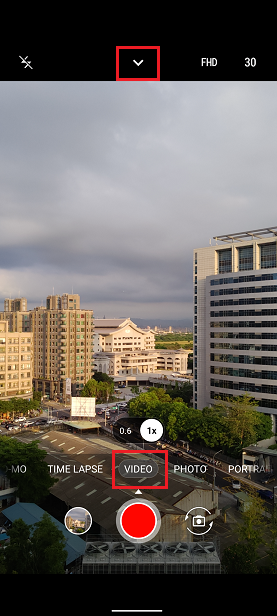
1. Open the Camera App, then switch to the VIDEO mode. Swipe down on the preview screen, or tap on the upper arrow to open the settings panel.
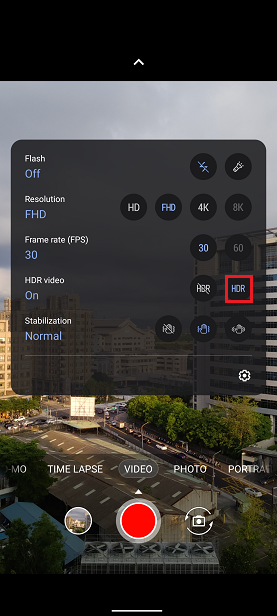
2. Tap on the HDR button to enable HDR video.
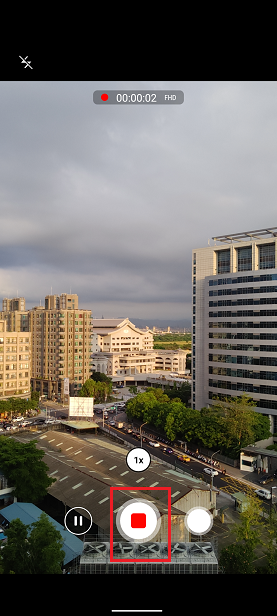
3. Tap the record button to start recording HDR video.
[Phone] How do I record an HDR10+ video ?
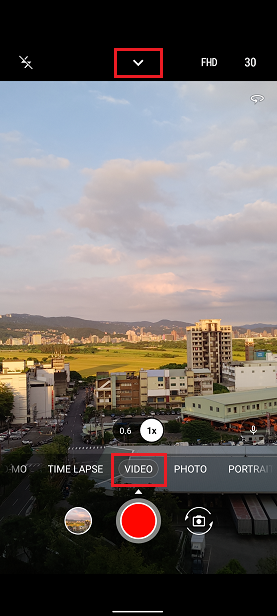
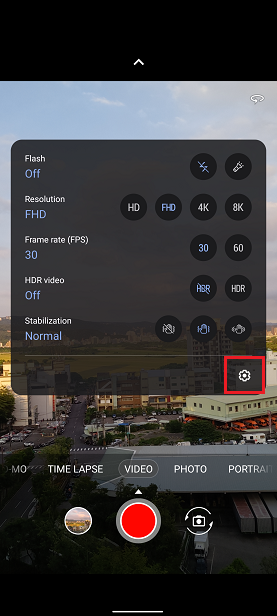
1. Open the Camera App, then switch to the video mode. Swipe down on the preview screen, or tap on the upper arrow to open the settings panel.
2. Tap the Settings icon.
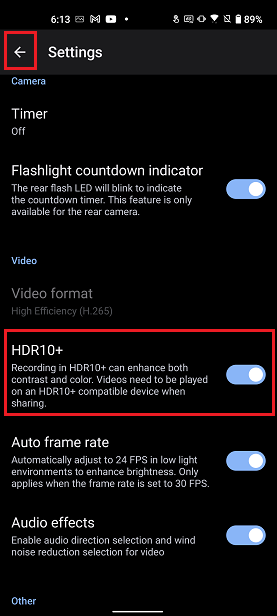
3. Scroll down to HDR10+ and enable it. Tap the back arrow in the upper left corner to go back to the camera preview.
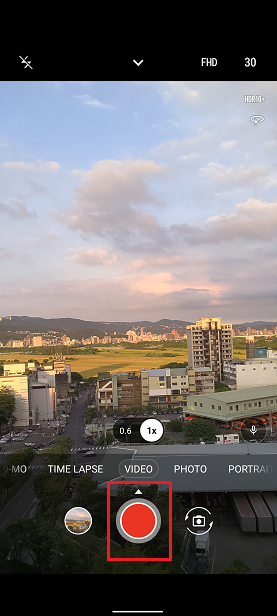
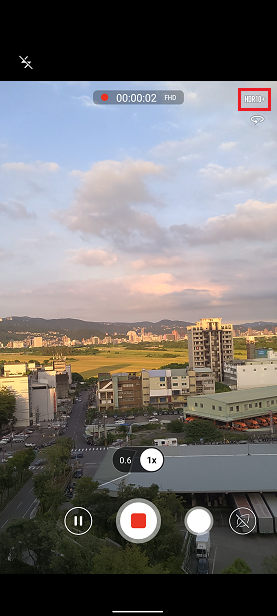
4. Tap the record button to start recording HDR10+ video.
[Phone] What are the advantages of HDR video/ HDR10+ video ?
HDR video provides the advantage of greater contrast between the bright and dark parts of the picture, as well as more realistic colors.
HDR10+ videos can present the best contrast and color. If you need to share videos to other devices, please note that the other device must also support HDR10+ for the videos to play properly.