Related Topics
[Computer Chassis] AP201 Case Fan (Rear) Replacement
Notice
1. Protect hands by wearing gloves before disassembly or assembly. Handle parts carefully, especially corners, to prevent scratches.
2. Handle glass side or front panels with extreme care during disassembly to prevent collisions, falls, or undue stress.
3. During disassembly, lay the case flat on a stable surface to prevent the side panel from falling.
4. Neatly arrange relevant wires during assembly to prevent damage to the wires.
5. Track all screws and small components during disassembly and assembly to avoid losing any parts..
Preparation
Tool: Phillips screwdriver PH2

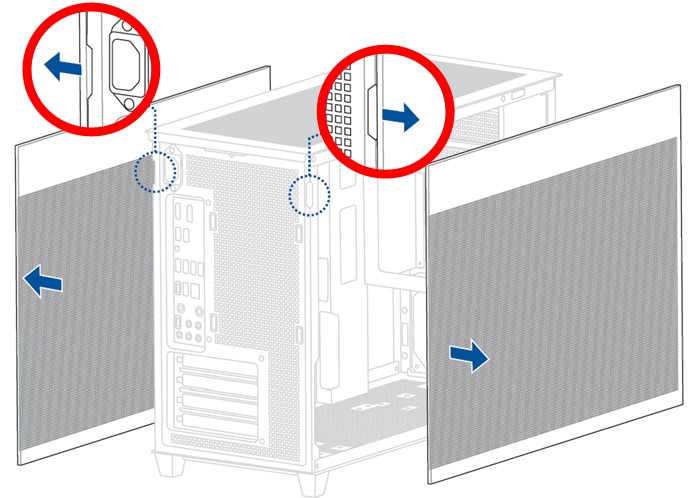
1.Remove 2 side panels.
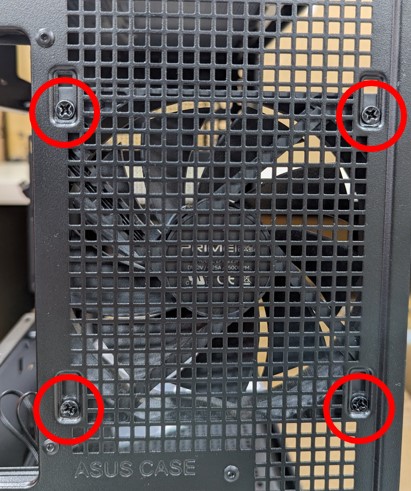
2. Use a Phillips screwdriver to remove the four screws in the red circle, and then you can replace it with a new fan.