RT-AX5400
- High Efficiency WiFi 6 – This ultrafast WiFi 6 router delivers up to 5,400 Mbps speed, with increased capacity to handle more devices.
- Powerful WAN Aggregation – Blazing bonded WAN speeds up to 2 Gbps deliver reliable internet connectivity for smart homes and small businesses.
- Commercial-grade Security Anywhere – Protect your home network with AiProtection Pro, powered by Trend Micro™. And when away from home, ASUS Instant Guard gives you a one-click sharable secure VPN.
- Advanced Parental Controls – Protect your kids online with instant monitoring, content filters and customized settings for each connected device, at no extra cost.
- Easy Extendable Network – Enjoy seamless roaming with rich, advanced features by adding any AiMesh-compatible router.
VPN Fusion
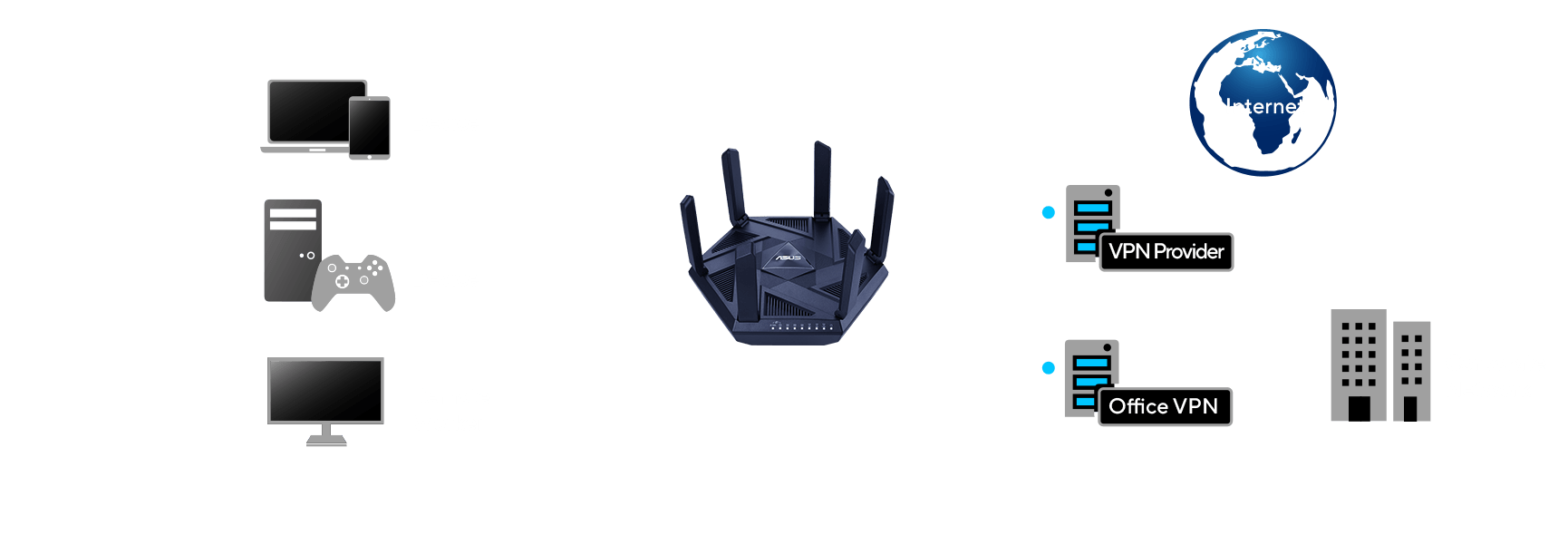
VPN Fusion lets you run both a VPN and an ordinary internet connection simultaneously. Specific devices on the network can use the VPN without interfering with the browsing experience of other users.







Compelling Speed,
Reliable Connectivity
With comprehensive built-in VPN network protection provided by advanced ASUS security tech, RT-AX5400 can definitely exceed your imagination of networking experience and work perfectly with your existing WiFi devices*! Let’s gear up for ultra-secure connectivity and powerful performance!
*To benefit from WiFi 6 features, the WiFi client needs to be WiFi 6 capable
Warp-speed WiFi
RT-AX5400 leverages WiFi 6 to deliver faster and more stable internet to the growing multitude of smart devices in your home. The faster speed, higher network efficiency and capacity free you to connect as many devices as you need, while enjoying top WiFi speeds.
*The data compares speed of 4x4 WiFi 6 solution on 5GHz band to speed of 4x4 WiFi 5 solution on 5GHz band.
|
802.11ax 5GHz 4804Mbps |
 |
|
802.11ac 5GHz 1733Mbps |
A Safer Browsing Experience
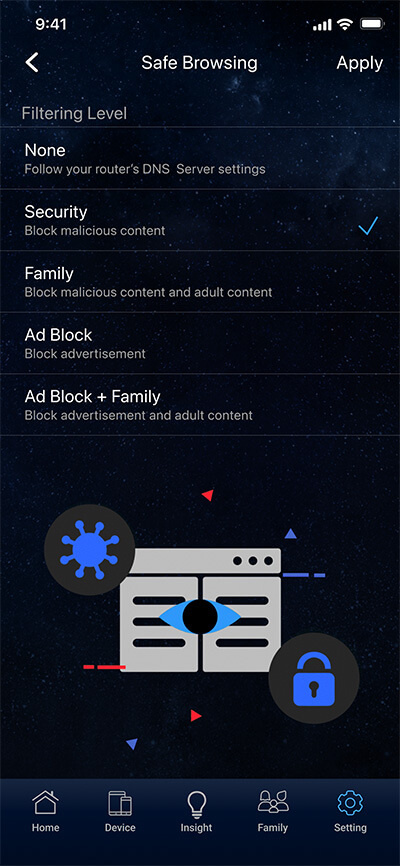
The internet can contain inappropriate content, intrusive ads or other dangers and safety risks. ASUS Safe Browsing helps block undesirable content in one tap -- no extra apps required. Its lightweight DNS-based filtering* won't affect router performance. It can even filter explicit content from search engine results to protect your kids online.
*By using Safe Browsing, you acknowledge and agree that the standard for blocked and filtered content is established by a third-party DNS provider.
-

Malicious Websites
-

Inappropriate Content
-

Advertisement

Make Free WiFi Secure with Instant Guard
The free public WiFi you find in coffee shops, restaurants, hotels, airports and so on is rarely secure, and hackers can easily capture any digital information you send to the internet . The ASUS Instant Guard mobile app gives you one tap secure internet access via your RT-AX5400 router adding rock-solid security to any public WiFi connections you use. Our newly upgraded app even lets you easily share this worry-free network connection with your family and friends through a URL link.
Learn more about ASUS Instant Guard


Download ASUS Instant Guard App



Enhanced Security Anywhere
Complete Security for Your Home Network
Alongside the latest WPA3 security protocol, the ASUS RT-AX5400 also features AiProtection Pro powered by Trend Micro™, with automatic, regularly updated security signatures to protect your devices and personal data from internet threats.
-

AiProtection Pro
-

WPA3
Security Protocol

Parental Controls at Your Finger Tips
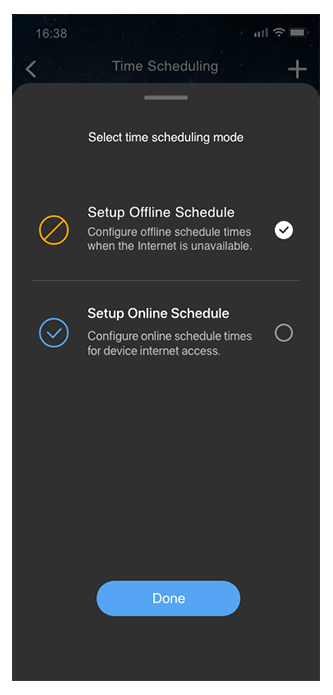
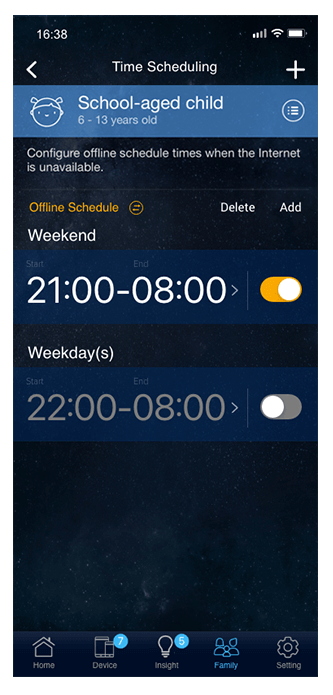
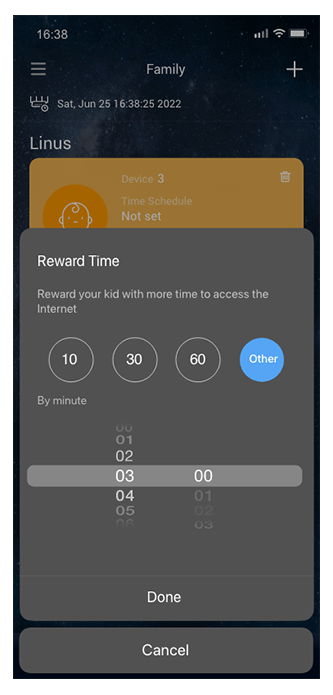
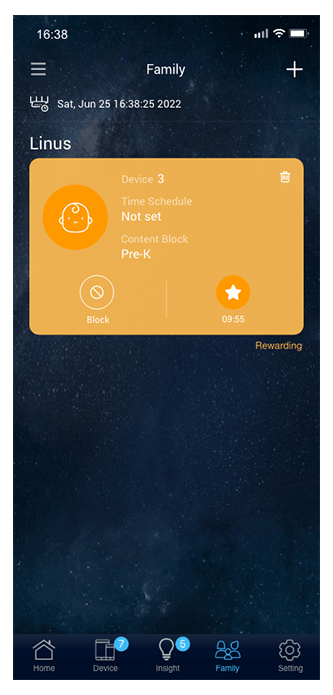
Gain insight into your kids' online activity and customize settings for different age groups with RT-AX5400's robust parental controls. You can also flexibly schedule internet access with one click, or you can grant extra online time for your kids to reward their good behavior.


VPN Your Way
Enjoy secure and quick VPN access for streaming, gaming and other activities with the ASUS RT-AX5400 router. Through both the ASUS Router app and the web interface, you can easily set up and manage your VPN connections, including OpenVPN and WireGuard to meet more of your VPN scenarios.

Encrypted Remote Connection
The ASUS RT-AX5400 router allows remote workers to securely access corporate networks without needing to install VPN software on each device. You can create different VPN connection types, including PPTP, L2TP, OpenVPN or WireGuard. With VPN Fusion, you can also assign various devices to different VPN tunnels while simultaneously keeping an ordinary internet connection for regular use.

Network Control in Your Way
Easily setup and manage your RT-AX5400 router with the intuitive ASUS Router app interface. You can also access the Web GUI to explore advanced settings and unlock more router features.
Simple but Complete Functions
The easy-to-use ASUS Router mobile app offers simple setup and management for your RT-AX5400 router. There’s even more for you to explore with upgraded features including complete VPN settings, new parental control time scheduling, visualized connection diagnostics, and more.


Download ASUS Router App
Advanced Controls
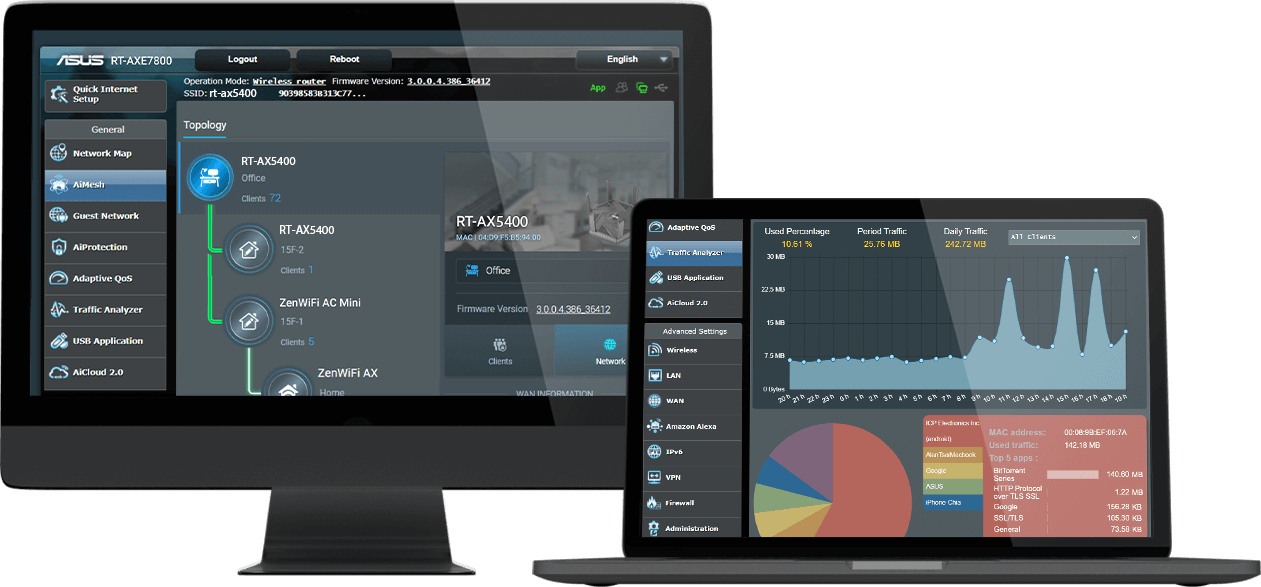
If you want to take advantage of the advanced capabilities of the RT-AX5400, its powerful web interface gives you access to at-a-glance status reports and in-depth settings via a handy dashboard. You can use it to monitor web traffic, set up your router's QoS settings, manage ports, configure security features, and much more.
Flexible and Scalable Wireless AiMesh Networking
Does your router leave you with WiFi dead spots? RT-AX5400 supports ASUS AiMesh, a unique mesh-networking technology that creates a whole-home network using multiple ASUS routers. With easy central control and seamless roaming, even non-experts can set it up with any AiMesh-capable routers you own. Say goodbye to WiFi dead zones!