[User and User Group] How to utilize User Group to get network file system permission - BRT Series
You can add multiple users to a self-defined user group that applies the same permissions of your network file system. It’s easier to manage multiple users connected to your network by a User Group, instead of specifying each user individually.
The following steps explain how to create a customized user group
1. Add a self-defined user group:
1.1 Go to Permission Management >> User Group
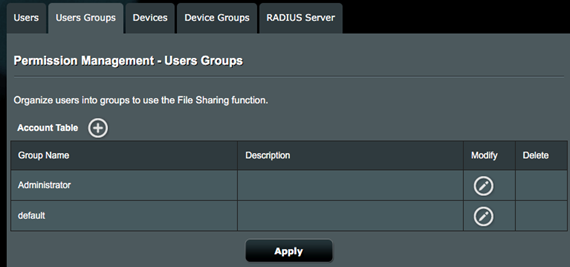
1.2 Click Add User Group  to add your self-defined user group

1.3 Click Apply to confirm the settings

2. Add users to your user group:
2.1 Go to Permission Management >> Users

2.2 Click Add User  to add the user and designate the desired user group

2.3 Click Apply to confirm your settings

The following steps explain how to apply a custom user group to a network file system
1. Once users have been specified to a group, you can set up the following network policies for them:
1.1 File Sharing – Samba

1.2 File Sharing – FTP

How to get the (Utility / Firmware)?
You can download the latest drivers, software, firmware and user manuals in the ASUS Download Center.
If you need more information about the ASUS Download Center, please refer this link.