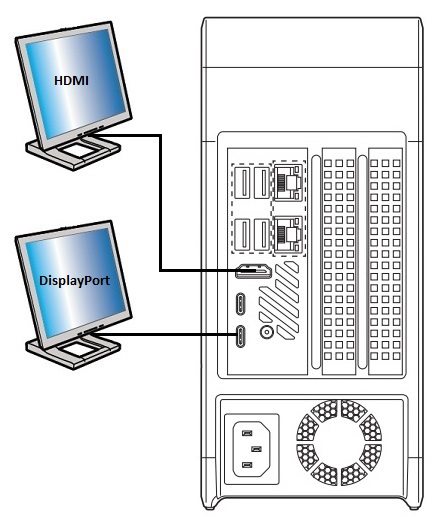
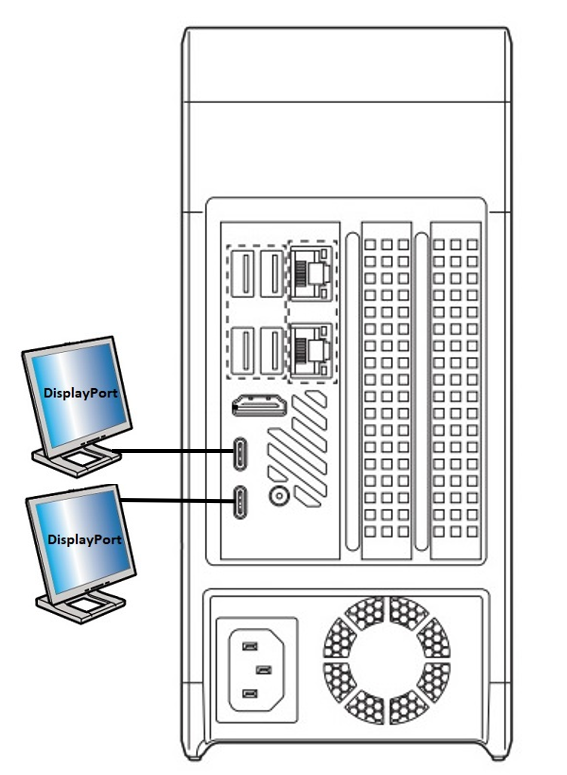
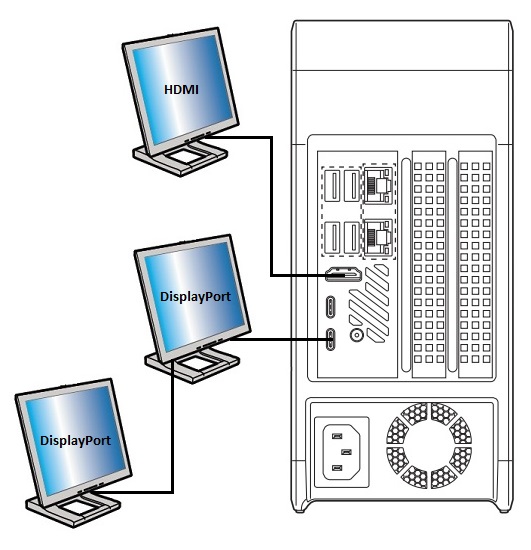
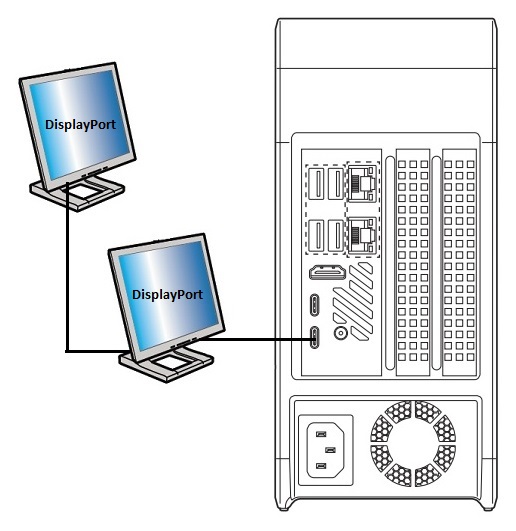
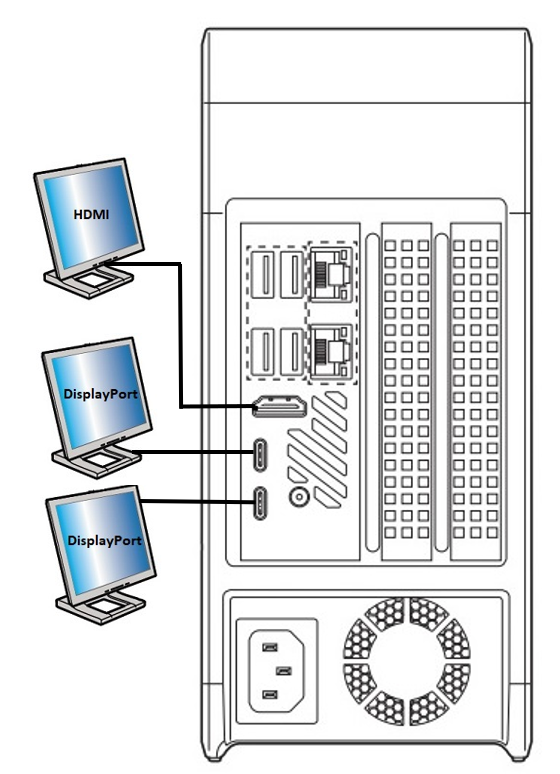
Intel NUCs (Next Unit of Computing) are small form factor PCs that offer a variety of configuration options. When it comes to displays, there are several options you can choose from depending on your needs.
Integrated Graphics
Intel NUCs with integrated graphics offer a range of display options:
One HDMI port (up to 4K @ 30Hz)
One Mini DisplayPort 1.2 (up to 4K @ 60Hz)
USB-C port with DisplayPort 1.2 support (up to 4K @ 60Hz)
If you need to connect multiple displays, you can use a combination of these ports. For example, you can connect one display to the HDMI port and another display to the Mini DisplayPort.
Discrete Graphics
If you need more graphics power, you can opt for an Intel NUC with discrete graphics. These NUCs come with a dedicated graphics card that offers additional display options:
HDMI 2.0a port (up to 4K @ 60Hz)
DisplayPort 1.2 (up to 4K @ 60Hz)
eDP/Embedded DisplayPort (up to 4K @ 60Hz)
The discrete graphics card can also support multiple displays, depending on the model. You can check the list of compatible graphics cards in the Product Compatibility Tool.
Additional Monitors
If you need to connect more monitors than your Intel NUC supports, you can use a USB graphics adapter. These adapters connect to a USB port on your NUC and offer additional display options. Keep in mind that USB graphics adapters may not offer the same performance as integrated or discrete graphics.
Conclusion
Intel NUCs offer a variety of display options to meet your needs. Whether you need basic display options or more graphics power, there is an Intel NUC configuration that can meet your requirements.
Note
Additional monitors can be available from the Discrete Graphics card. See the list of compatible Graphics cards in the Product Compatibility Tool.
Above information might be partly or entirely quoted from exterior websites or sources. please refer to the information based on the source that we noted. Please directly contact or inquire the sources if there is any further question and note that ASUS is neither relevant nor responsible for its content/service
This information may not suitable for all the products from the same category/series. Some of the screen shots and operations could be different from the software versions.
ASUS provides the above information for reference only. If you have any questions about the content, please contact the above product vendor directly. Please note that ASUS is not responsible for the content or service provided by the above product vendor.